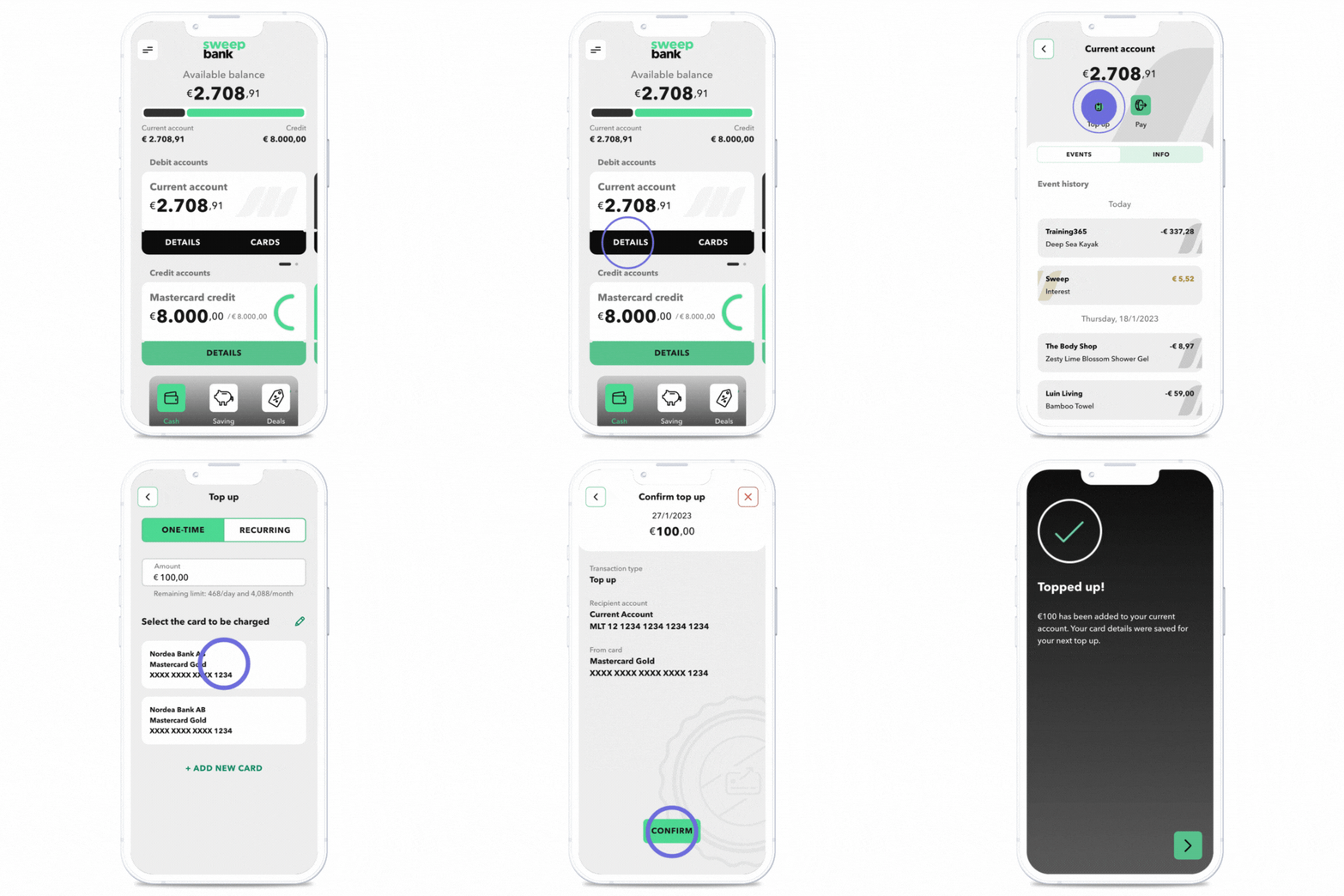
A card top-up refers to increasing the balance of your account by transferring money from one of your other active debit or credit cards. This can be done quickly and easily through the app.
How to Top Up Your Account:
- Open the app and tap Details on the Current Account tile on the home screen.
- Click the Top-Up icon.
- Choose between a One-Time Top-Up or a Recurring Top-Up:
- One-Time Top-Up: Transfer money to your account as a one-off transaction.
- Recurring Top-Up: Set up automatic transfers at regular intervals to maintain your account balance effortlessly.
- Select the card you want to top up from or add a new card.
- Follow the on-screen instructions to complete the transfer.
By using one-time or recurring top-ups, you can ensure your account always has sufficient funds for your needs.